
YouTube Thumbnail Size 2026: Resize to 1280x720 Free
A YouTube thumbnail should be 16:9. YouTube Help recommends 3840 × 2160 pixels, with a minimum width of 640, in JPG or PNG, under 2 MB from a phone or 50 MB from a computer. The long-standing 1280 × 720 is still accepted and fits both limits. To get any photo there without stretching it, crop it to 16:9 and scale it to size, which the free YouTube thumbnail cropper does in one step in your browser.
The YouTube thumbnail size, from YouTube itself
Most guides still say “1280 × 720, 2 MB”. YouTube’s own help page, Add video thumbnails, now says more than that. These are its numbers as of 26 October 2026:
| Requirement | Regular videos | Shorts |
|---|---|---|
| Recommended resolution | 3840 × 2160 | 2160 × 3840 |
| Minimum | 640 pixels wide | 640 pixels tall |
| Aspect ratio | 16:9 | 9:16 |
| Formats | Image formats such as JPG or PNG | |
| File size, uploading from mobile | 2 MB | — |
| File size, uploading from desktop | 50 MB (videos, Shorts and podcasts) | |
Source: YouTube Help, “Add video thumbnails” (support.google.com/youtube/answer/72431), checked 26 October 2026. YouTube changes these from time to time, so check the page if an upload is refused.
The constant is the shape. Every size in the 16:9 family has the same proportions, so the picture is framed the same way at any of them:
| Size | Name | Notes |
|---|---|---|
| 640 × 360 | — | The smallest 16:9 size at YouTube’s 640-pixel minimum width |
| 1280 × 720 | 720p | The size most guides quote; easy to keep under 2 MB as a JPG |
| 1920 × 1080 | 1080p | The size of a frame grabbed from a 1080p video |
| 3840 × 2160 | 4K | YouTube’s current recommendation |
1280 × 720 or 4K: which to use
Use the largest 16:9 size your source supports, as long as the file stays under the limit for the device you upload from. In practice:
- Uploading from a phone: 1280 × 720 as a JPG. The 2 MB mobile limit is easy to meet at that size and hard to meet at 4K.
- Uploading from a computer, with a large source: 1920 × 1080 or 3840 × 2160 is fine under the 50 MB desktop limit, and follows YouTube’s recommendation.
- Only a small source: do not enlarge a 900-pixel photo to 4K. It gains pixels, not detail. Keep it at 1280 × 720, or try the AI Image Upscaler first, which sharpens edges better than a plain enlargement but cannot recover detail that was never captured.
Resize an image for a YouTube thumbnail
If the photo is not already 16:9, which most phone photos are not, use the cropper. It does the crop and the resize together:
- Open the YouTube thumbnail cropper. The frame is locked to the 1280:720 shape, and the page says the output will be scaled to exactly 1280 × 720.
- Drop in your photo or a frame from your video.
- Drag the frame over what matters: a face, the product, the moment. Anything outside it is cut off.
- Pick JPG under Save as if you will upload from a phone, then download. The result is 1280 × 720.
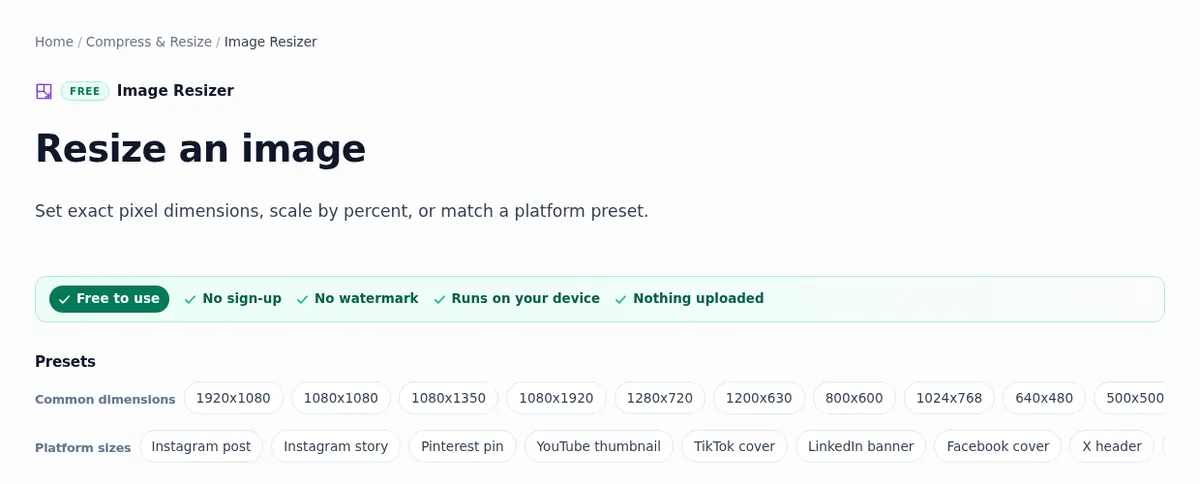
If the image is already 16:9, such as a screenshot of a 1080p video, the Image Resizer’s YouTube thumbnail preset sets 1280 × 720 directly. That preset starts with Keep aspect ratio unticked, so it forces both numbers: right for a 16:9 source, but a 4:3 photo would come out stretched. For the 1080p or 4K sizes, the 1920 × 1080 preset works the same way.
When the photo is not 16:9
A tall phone photo has a different shape from a thumbnail, and something has to give. The table shows the three honest options. Our aspect ratio guide explains why a ratio change always costs something.
| Option | What happens | Tool |
|---|---|---|
| Crop to 16:9 | The top and bottom of a tall photo are cut away. Nothing is distorted. | Image Cropper |
| Extend to 16:9 | New picture is painted at the sides by an AI model, so the whole photo stays. Works on sky, walls and floors; not on faces or text at the edge. | Uncrop / Expand |
| Pad to 16:9 | Plain colour is added at the sides. The whole photo stays, and the bars leave room for your title text. | Canvas Resizer |
After extending or padding, run the result through the cropper or resizer preset so it ends at exactly 1280 × 720. For the text itself, Add Text to Image has an outline and a drop shadow so a few large words stay readable on a busy frame, and the Background Remover cuts you or a product out to put on a bold colour.
Getting under the file size limit
The 2 MB mobile limit is the one people hit, usually with a PNG of a photo. Three fixes, in the order to try them:
- Save as JPG. A photo stored as PNG is usually much larger than the same picture as JPG.
- Use 1280 × 720. A 4K image has nine times the pixels of 720p, and the file grows with them.
- Compress to a target. The Image Compressor’s 2 MB preset lowers the JPG quality step by step until the file is under 2 MB, then stops.
Our guide to reducing image file size goes through why that order works.
Why YouTube refuses a thumbnail
- The account is not verified. YouTube Help says custom thumbnails need a verified account. Until then you can only choose one of the suggested stills.
- The daily limit. A channel can upload only so many custom thumbnails a day. The message is “Daily custom thumbnail limit reached”; YouTube says to try again in 24 hours.
- The file is too big for the device. 2 MB on mobile, 50 MB on desktop. A file that uploads from a computer can fail from the YouTube Studio app.
- The image is too small. Under 640 pixels wide is below the minimum.
When this does not apply
- Shorts. They take a 9:16 thumbnail (2160 × 3840 recommended), not 16:9. Crop with the 9:16 cropper instead.
- Channel art. The banner is a different size again (2560 × 1440, with only the middle strip shown on every device), and so is the channel icon. The social media image sizes guide lists both.
- Podcast playlists. YouTube asks for a 1:1 square there.
Every tool linked here runs in your browser on your own device. ImgVX AI is free with no sign-up, nothing is uploaded, and there is no watermark on the download. The short version: keep it 16:9, crop rather than stretch, and save a JPG under 2 MB if you upload from your phone.
Questions
What size is a YouTube thumbnail in 2026?
YouTube Help asks for a 16:9 image, recommends 3840 by 2160 pixels for videos and sets a minimum width of 640 pixels. 1280 by 720, the size most guides quote, is also 16:9 and well above the minimum, so it is accepted and stays small enough to upload from a phone.
Is the YouTube thumbnail limit 2 MB or 50 MB?
Both, depending on the device. YouTube Help gives 2 MB for video thumbnails uploaded from mobile and 50 MB from desktop. A thumbnail under 2 MB works on either, which is why 1280 by 720 saved as JPG is still the safe choice.
How do I resize an image to 1280x720 without stretching it?
Crop it to 16:9 first. The Image Cropper with the YouTube thumbnail preset locks the frame to that shape and scales the result to exactly 1280 by 720, so nothing is squeezed. Typing 1280 and 720 into a resizer with the aspect lock off stretches any photo that is not already 16:9.
Why can I not upload a custom YouTube thumbnail?
YouTube Help says custom thumbnails need a verified account, and there is a daily limit on how many a channel can upload. If you see "Daily custom thumbnail limit reached", try again in 24 hours. A file over the size limit for your device is the other common cause.
Should a YouTube thumbnail be JPG or PNG?
YouTube accepts both. JPG keeps photos small, which matters for the 2 MB mobile limit. PNG suits flat graphics and sharp text but is usually much larger for a photo; if a PNG is too big, save it as JPG or compress it.